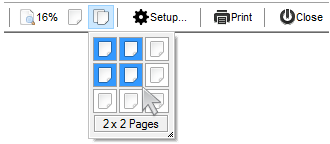
Use the Format property to add/remove items in the toolbar control. Use the Item property to access the Item object. The ToolBarCRD object supports the following properties and methods.
Use the Format property to add/remove items in the toolbar control. Use the Item property to access the Item object. The ToolBarCRD object supports the following properties and methods.


| Name | Description | |||
| AnchorFromPoint | Retrieves the identifier of the anchor from point. | |||
| Appearance | Retrieves or sets the control's appearance. | |||
| AttachTemplate | Attaches a script to the current object, including the events, from a string, file, a safe array of bytes. | |||
| BackColor | Specifies the control's background color. | |||
| Background | Returns or sets a value that indicates the background color for parts in the control. | |||
| BeginUpdate | Maintains performance when items are added to the control one at a time. This method prevents the control from painting until the EndUpdate method is called. | |||
| Debug | Specifies whether the control displays debug information. | |||
| Enabled | Enables or disables the control. | |||
| EndUpdate | Resumes painting the control after painting is suspended by the BeginUpdate method. | |||
| EventParam | Retrieves or sets a value that indicates the current's event parameter. | |||
| ExecuteTemplate | Executes a template and returns the result. | |||
| Font | Retrieves or sets the control's font. | |||
| ForeColor | Specifies the control's foreground color. | |||
| Format | Specifies the CRD format to arrange the objects inside the control. | |||
| FormatAnchor | Specifies the visual effect for anchor elements in HTML captions. | |||
| HTMLPicture | Adds or replaces a picture in HTML captions. | |||
| hWnd | Retrieves the control's window handle. | |||
| Images | Sets at runtime the control's image list. The Handle should be a handle to an Images List Control. | |||
| ImageSize | Retrieves or sets the size of icons the control displays. | |||
| Item | Retrieves an item from the toolbar. | |||
| ItemFromPoint | Retrieves the index of the item from the point. | |||
| ItemsDelimiter | Specifies the delimiter sequence for drop down items. | |||
| ItemValueDelimiter | Specifies the delimiter sequence for drop down value. | |||
| Picture | Retrieves or sets a graphic to be displayed in the control. | |||
| PictureDisplay | Retrieves or sets a value that indicates the way how the graphic is displayed on the control's background | |||
| Refresh | Refreses the control. | |||
| ReplaceIcon | Adds a new icon, replaces an icon or clears the control's image list. | |||
| ShowImageList | Specifies whether the control's image list window is visible or hidden. | |||
| ShowToolTip | Shows the specified tooltip at given position. | |||
| Template | Specifies the control's template. | |||
| TemplateDef | Defines inside variables for the next Template/ExecuteTemplate call. | |||
| TemplatePut | Defines inside variables for the next Template/ExecuteTemplate call. | |||
| ToolTipDelay | Specifies the time in ms that passes before the ToolTip appears. | |||
| ToolTipFont | Retrieves or sets the tooltip's font. | |||
| ToolTipPopDelay | Specifies the period in ms of time the ToolTip remains visible if the mouse pointer is stationary within a control. | |||
| ToolTipWidth | Specifies a value that indicates the width of the tooltip window, in pixels. | |||
| Version | Retrieves the control's version. | |||
| VisualAppearance | Retrieves the control's appearance. |