|
49
|
Is it possible to display information about the firing events
// Notifies the application once the control fires an event.
Procedure OnComEvent Integer   llEventID
	Forward Send OnComEvent llEventID
	Showln (ComEventParam(Self,-2))
End_Procedure
|
|
48
|
Is there a way to change the header names

Procedure OnCreate
	Forward Send OnCreate
	Set ComColumnNames to "Name(Ime),Date modified(Datum),Item type(Tip),Size(Velikost)"
End_Procedure
|
|
47
|
Disable or prevent the header's context-menu
Procedure OnCreate
	Forward Send OnCreate
	Set ComAllowContextMenu to |CI$1
End_Procedure
|
|
46
|
Disable or prevent the list-view's context-menu
Procedure OnCreate
	Forward Send OnCreate
	Set ComAllowContextMenu to |CI$2
End_Procedure
|
|
45
|
Disable or prevent the control's context-menu
Procedure OnCreate
	Forward Send OnCreate
	Set ComAllowContextMenu to |CI$0
End_Procedure
|
|
44
|
How can I add my own items, without the default context menu
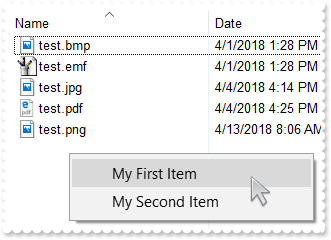
// Fired when the user selects an item context menu that has been added during QueryContextMenu event.
Procedure OnComInvokeMenuCommand String   llCommand
	Forward Send OnComInvokeMenuCommand llCommand
	Showln llCommand
End_Procedure

// Fired when the context menu is about to be active. You can supply new items to the context menu.
Procedure OnComQueryContextMenu String   llItems String   llSeparator
	Forward Send OnComQueryContextMenu llItems llSeparator
	Move "," to Separator
	Move "My First Item,My Second Item" to Items
End_Procedure

Procedure OnCreate
	Forward Send OnCreate
	Set ComDefaultMenuItems to False
	Set ComBrowseFolder to "c:\Temp"
End_Procedure
|
|
43
|
How can I add my own items
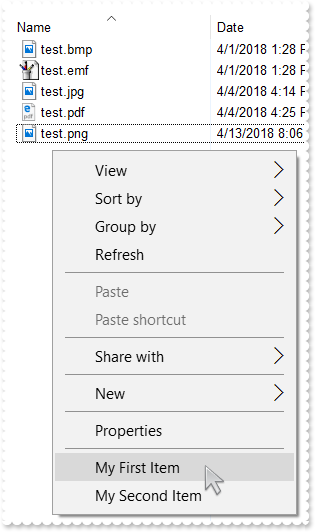
// Fired when the user selects an item context menu that has been added during QueryContextMenu event.
Procedure OnComInvokeMenuCommand String   llCommand
	Forward Send OnComInvokeMenuCommand llCommand
	Showln llCommand
End_Procedure

// Fired when the context menu is about to be active. You can supply new items to the context menu.
Procedure OnComQueryContextMenu String   llItems String   llSeparator
	Forward Send OnComQueryContextMenu llItems llSeparator
	Move "," to Separator
	Move ",My First Item,My Second Item" to Items
End_Procedure

Procedure OnCreate
	Forward Send OnCreate
	Set ComBrowseFolder to "c:\Temp"
End_Procedure
|
|
42
|
The InvokeCommand("open") will not work on a german. What can I do
// Occurs when the user dblclk the left mouse button over an object.
Procedure OnComDblClick
	Forward Send OnComDblClick
	// Objects(0).InvokeCommand("Open")
	Variant voExShellObjects
	Get ComObjects to voExShellObjects
	Handle hoExShellObjects
	Get Create (RefClass(cComExShellObjects)) to hoExShellObjects
	Set pvComObject of hoExShellObjects to voExShellObjects
		Send ComGet of hoExShellObjects OLESelectedItems
	Send Destroy to hoExShellObjects
End_Procedure

// Notifies the application once the user selects a command in the context menu.
Procedure OnComInvokeItemMenu Integer   llCommand
	Forward Send OnComInvokeItemMenu llCommand
	Showln llCommand
End_Procedure

Procedure OnCreate
	Forward Send OnCreate
	Set ComBrowseFolder to "c:\Temp"
End_Procedure
|
|
41
|
How can I open the file's properties when user double clicks it
// Occurs when the user dblclk the left mouse button over an object.
Procedure OnComDblClick
	Forward Send OnComDblClick
	// Objects(0).InvokeCommand("Properties")
	Variant voExShellObjects
	Get ComObjects to voExShellObjects
	Handle hoExShellObjects
	Get Create (RefClass(cComExShellObjects)) to hoExShellObjects
	Set pvComObject of hoExShellObjects to voExShellObjects
		Send ComGet of hoExShellObjects OLESelectedItems
	Send Destroy to hoExShellObjects
End_Procedure

Procedure OnCreate
	Forward Send OnCreate
	Set ComBrowseFolder to "c:\Temp"
End_Procedure
|
|
40
|
We're looking for a control to show files, just like the eXShellView, but than we would like to specify the files themselves. Is that possible using your control
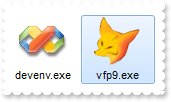
Procedure OnCreate
	Forward Send OnCreate
	Set ComViewMode to OLELargeIcons
	Set ComHeaderVisible to False
	Set ComBrowseFiles to "C:\Program Files\Microsoft Visual Studio 9.0\Common7\IDE\devenv.exe|C:\Program Files\Microsoft Visual FoxPro 9\vfp9.exe"
End_Procedure
|
|
39
|
How do I prevent pressing the Backspace, or go up to the parent
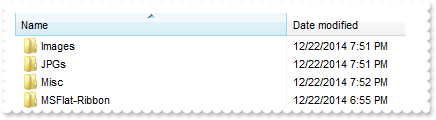
// Occurs when the user presses a key while an object has the focus.
Procedure OnComKeyDown Short   llKeyCode Short   llShift
	Forward Send OnComKeyDown llKeyCode llShift
	Showln "Set the KeyCode = 0, if the KeyCode is 8 "
	Move 0 to KeyCode
End_Procedure

Procedure OnCreate
	Forward Send OnCreate
	Set ComViewMode to OLEDetails
	Set ComBrowseFolder to "c:\Temp"
	Send ComRefresh
End_Procedure
|
|
38
|
How can I show grid lines around items
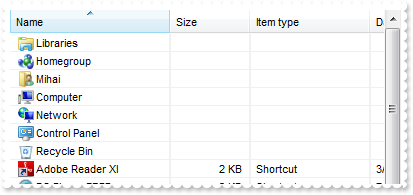
Procedure OnCreate
	Forward Send OnCreate
	Set ComViewMode to OLEDetails
	Set ComDrawGridLines to True
	Send ComRefresh
End_Procedure
|
|
37
|
How can I prevent shwoing the overlay icons (shortcut icons have a small arrow in lower-left corner, shared folders have a hand that shows that folder is shared, etc. )
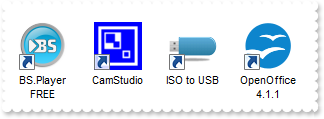
Procedure OnCreate
	Forward Send OnCreate
	Set ComViewMode to OLELargeIcons
	Set ComOverlayIcons to False
	Send ComRefresh
End_Procedure
|
|
36
|
I need to provide my own context menu but I am not able to find RClick event. What can be done
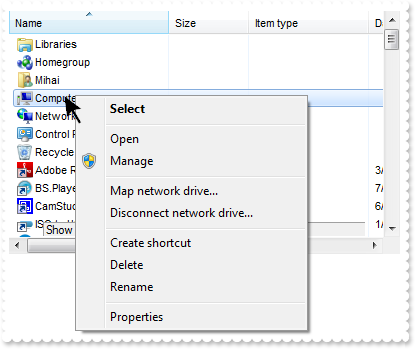
// Fired when the context menu is about to be active. You can supply new items to the context menu.
Procedure OnComQueryContextMenu String   llItems String   llSeparator
	Forward Send OnComQueryContextMenu llItems llSeparator
	Showln "Show here your popup/context menu"
End_Procedure

Procedure OnCreate
	Forward Send OnCreate
	Set ComDefaultMenuItems to False
End_Procedure
|
|
35
|
How can I provide my own context menu (RClick event is missing)
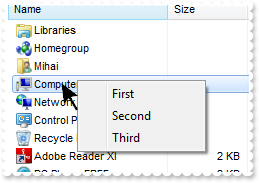
// Fired when the user selects an item context menu that has been added during QueryContextMenu event.
Procedure OnComInvokeMenuCommand String   llCommand
	Forward Send OnComInvokeMenuCommand llCommand
	Showln llCommand
End_Procedure

// Fired when the context menu is about to be active. You can supply new items to the context menu.
Procedure OnComQueryContextMenu String   llItems String   llSeparator
	Forward Send OnComQueryContextMenu llItems llSeparator
	Move "," to Separator
	Move "First,Second,Third" to Items
End_Procedure

Procedure OnCreate
	Forward Send OnCreate
	Set ComDefaultMenuItems to False
End_Procedure
|
|
34
|
Is it possible to specify the "Extra Large Icons" view
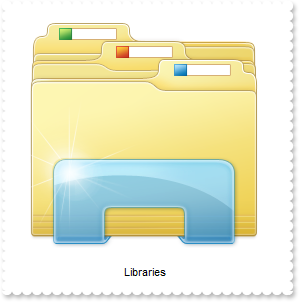
Procedure OnCreate
	Forward Send OnCreate
	Set ComViewMode to OLEExtra_Large_Icons
End_Procedure
|
|
33
|
Is it possible to specify the "Large Icons" view

Procedure OnCreate
	Forward Send OnCreate
	Set ComViewMode to OLELarge_Icons
End_Procedure
|
|
32
|
Is it possible to specify the "Medium Icons" view

Procedure OnCreate
	Forward Send OnCreate
	Set ComViewMode to OLEMedium_Icons
End_Procedure
|
|
31
|
How can I hide the file names
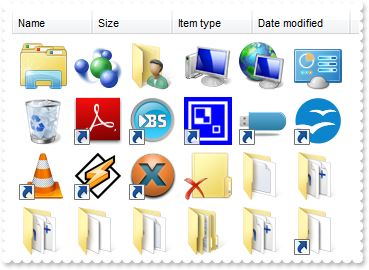
Procedure OnCreate
	Forward Send OnCreate
	Set ComHideFileNames to True
	Set ComViewMode to OLEThumbnail
End_Procedure
|
|
30
|
Is it possible to set the Auto Arrange and Align To Grid flags by code
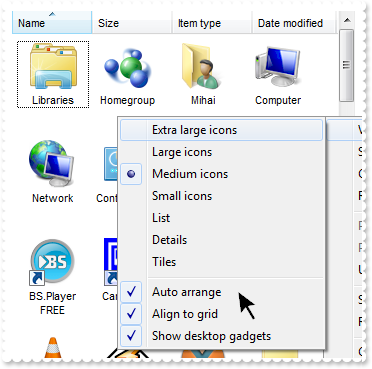
Procedure OnCreate
	Forward Send OnCreate
	Set ComAutoArrange to True
	Set ComAlignToGrid to True
	Set ComViewMode to OLEThumbnail
End_Procedure
|
|
29
|
Is it possible to set the Auto Arrange flag by code
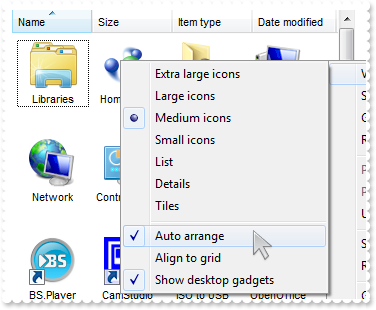
Procedure OnCreate
	Forward Send OnCreate
	Set ComAutoArrange to True
	Set ComViewMode to OLEThumbnail
End_Procedure
|
|
28
|
How do I specify the current folder
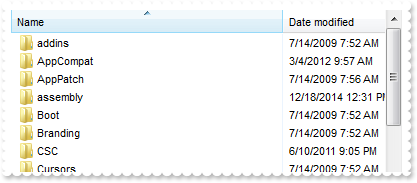
Procedure OnCreate
	Forward Send OnCreate
	Set ComCurrentFolder to "c:\windows"
End_Procedure
|
|
27
|
Is it possible to disable showing tooltips for files and folders

Procedure OnCreate
	Forward Send OnCreate
	Set ComHideToolTips to True
End_Procedure
|
|
26
|
Is it possible to hide the control's header
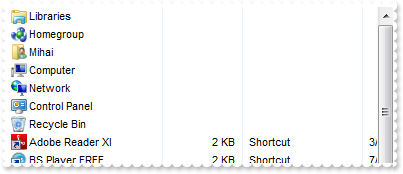
Procedure OnCreate
	Forward Send OnCreate
	Set ComHeaderVisible to False
End_Procedure
|
|
25
|
How can I get the name of file being double clicked
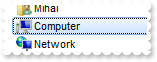
// Fired when the user selects a new object for browsing.
Procedure OnComObjectSelect Variant   llObject
	Forward Send OnComObjectSelect llObject
	Send ComCancelObjectSelect
	Showln llObject
End_Procedure
|
|
24
|
How can I prevent opening or selecting a folder or zip files when user double click it
// Fired when the user selects a new object for browsing.
Procedure OnComObjectSelect Variant   llObject
	Forward Send OnComObjectSelect llObject
	Send ComCancelObjectSelect
End_Procedure
|
|
23
|
Is it possible to list only files, no folders
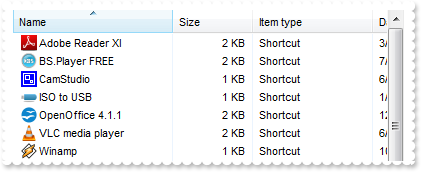
Procedure OnCreate
	Forward Send OnCreate
	Send ComModifyFolderFlags OLENoSubFolders OLENoFlag
End_Procedure
|
|
22
|
How can I enable multiple selection
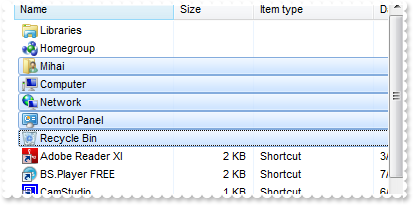
Procedure OnCreate
	Forward Send OnCreate
	Send ComModifyFolderFlags OLENoFlag OLESingleSel
	Send ComRefresh
End_Procedure
|
|
21
|
How can I select a file or a folder
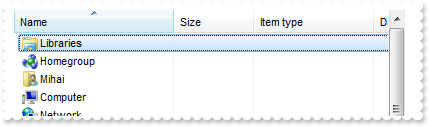
Procedure OnCreate
	Forward Send OnCreate
	Variant voExShellObjects
	Get ComObjects to voExShellObjects
	Handle hoExShellObjects
	Get Create (RefClass(cComExShellObjects)) to hoExShellObjects
	Set pvComObject of hoExShellObjects to voExShellObjects
		Send ComGet of hoExShellObjects OLEAllItems
	Send Destroy to hoExShellObjects
	Variant voExShellObjects1
	Get ComObjects to voExShellObjects1
	Handle hoExShellObjects1
	Get Create (RefClass(cComExShellObjects)) to hoExShellObjects1
	Set pvComObject of hoExShellObjects1 to voExShellObjects1
		Variant voExShellObject
		Get ComItem of hoExShellObjects1 0 to voExShellObject
		Handle hoExShellObject
		Get Create (RefClass(cComExShellObject)) to hoExShellObject
		Set pvComObject of hoExShellObject to voExShellObject
			Send ComSelectItem of hoExShellObject OLESelect
		Send Destroy to hoExShellObject
	Send Destroy to hoExShellObjects1
End_Procedure
|
|
20
|
How can I get all files and folders as they are listed
Procedure OnCreate
	Forward Send OnCreate
	Variant voExShellObjects
	Get ComObjects to voExShellObjects
	Handle hoExShellObjects
	Get Create (RefClass(cComExShellObjects)) to hoExShellObjects
	Set pvComObject of hoExShellObjects to voExShellObjects
		Send ComGet of hoExShellObjects (OLEAsDisplayed + OLEAllItems)
	Send Destroy to hoExShellObjects
	Variant v
	Variant voExShellObjects1
	Get ComObjects to voExShellObjects1
	Handle hoExShellObjects1
	Get Create (RefClass(cComExShellObjects)) to hoExShellObjects1
	Set pvComObject of hoExShellObjects1 to voExShellObjects1
		Get ComCount of hoExShellObjects1 to v
	Send Destroy to hoExShellObjects1
	Showln v
End_Procedure
|
|
19
|
How can I get all files and folders being displayed
Procedure OnCreate
	Forward Send OnCreate
	Variant voExShellObjects
	Get ComObjects to voExShellObjects
	Handle hoExShellObjects
	Get Create (RefClass(cComExShellObjects)) to hoExShellObjects
	Set pvComObject of hoExShellObjects to voExShellObjects
		Send ComGet of hoExShellObjects OLEAllItems
	Send Destroy to hoExShellObjects
	Variant v
	Variant voExShellObjects1
	Get ComObjects to voExShellObjects1
	Handle hoExShellObjects1
	Get Create (RefClass(cComExShellObjects)) to hoExShellObjects1
	Set pvComObject of hoExShellObjects1 to voExShellObjects1
		Get ComCount of hoExShellObjects1 to v
	Send Destroy to hoExShellObjects1
	Showln v
End_Procedure
|
|
18
|
How do I get the selected files or folders as they are displayed
Procedure OnCreate
	Forward Send OnCreate
	Variant voExShellObjects
	Get ComObjects to voExShellObjects
	Handle hoExShellObjects
	Get Create (RefClass(cComExShellObjects)) to hoExShellObjects
	Set pvComObject of hoExShellObjects to voExShellObjects
		Send ComGet of hoExShellObjects (OLEAsDisplayed + OLESelectedItems)
	Send Destroy to hoExShellObjects
	Variant v
	Variant voExShellObjects1
	Get ComObjects to voExShellObjects1
	Handle hoExShellObjects1
	Get Create (RefClass(cComExShellObjects)) to hoExShellObjects1
	Set pvComObject of hoExShellObjects1 to voExShellObjects1
		Get ComCount of hoExShellObjects1 to v
	Send Destroy to hoExShellObjects1
	Showln v
End_Procedure
|
|
17
|
How do I get the selected files or folders
Procedure OnCreate
	Forward Send OnCreate
	Variant voExShellObjects
	Get ComObjects to voExShellObjects
	Handle hoExShellObjects
	Get Create (RefClass(cComExShellObjects)) to hoExShellObjects
	Set pvComObject of hoExShellObjects to voExShellObjects
		Send ComGet of hoExShellObjects OLESelectedItems
	Send Destroy to hoExShellObjects
	Variant v
	Variant voExShellObjects1
	Get ComObjects to voExShellObjects1
	Handle hoExShellObjects1
	Get Create (RefClass(cComExShellObjects)) to hoExShellObjects1
	Set pvComObject of hoExShellObjects1 to voExShellObjects1
		Get ComCount of hoExShellObjects1 to v
	Send Destroy to hoExShellObjects1
	Showln v
End_Procedure
|
|
16
|
How can I disable or enable the control's context menu
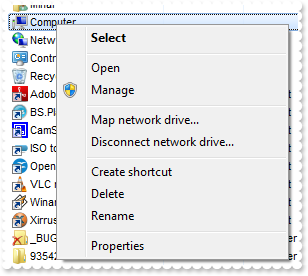
Procedure OnCreate
	Forward Send OnCreate
	Set ComDefaultMenuItems to False
End_Procedure
|
|
15
|
How can I include only files that match a pattern
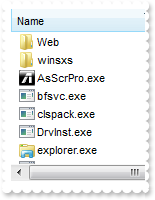
Procedure OnCreate
	Forward Send OnCreate
	Set ComIncludeObjectType to OLEPatternObjects
	Set ComFilePattern to "*.exe *.lnk"
End_Procedure
|
|
14
|
How can I include only files that match a pattern
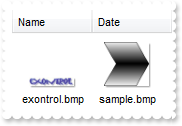
Procedure OnCreate
	Forward Send OnCreate
	Set ComIncludeObjectType to OLEPatternObjects
	Set ComFilePattern to "*.bmp"
End_Procedure
|
|
13
|
How can I list only folders in the view
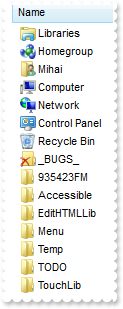
Procedure OnCreate
	Forward Send OnCreate
	Set ComIncludeObjectType to OLEFoldersOnly
End_Procedure
|
|
12
|
How do I specify what objects files or folders should be included in the list
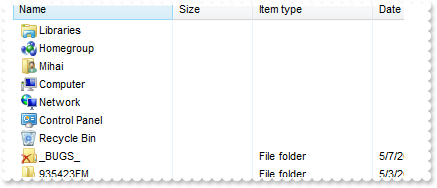
Procedure OnCreate
	Forward Send OnCreate
	Set ComIncludeObjectType to OLEFoldersOnly
End_Procedure
|
|
11
|
How do I browse a special folder
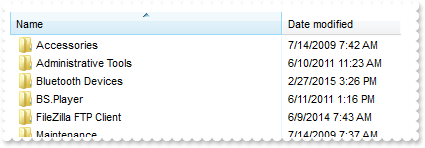
Procedure OnCreate
	Forward Send OnCreate
	Set ComBrowseFolder to (ComShellFolder(Self,(ComSpecialFolder(Self,OLEPrograms))))
End_Procedure
|
|
10
|
How can I go up to one level, so I can browse the parent folder
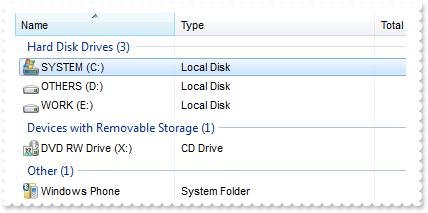
Procedure OnCreate
	Forward Send OnCreate
	Set ComBrowseFolder to (ComShellFolder(Self,"C:\"))
	Send ComUpOneLevel
End_Procedure
|
|
9
|
How do I browse a specified folder
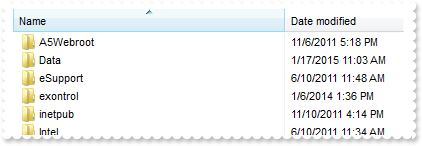
Procedure OnCreate
	Forward Send OnCreate
	Set ComBrowseFolder to (ComShellFolder(Self,"C:\"))
End_Procedure
|
|
8
|
How can I disable or enable the entire control
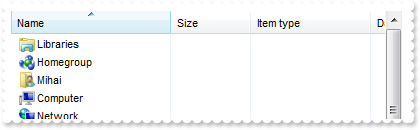
Procedure OnCreate
	Forward Send OnCreate
	Set ComEnabled to False
End_Procedure
|
|
7
|
How do I refresh the control
Procedure OnCreate
	Forward Send OnCreate
	Send ComRefresh
End_Procedure
|
|
6
|
How can I change the control's font
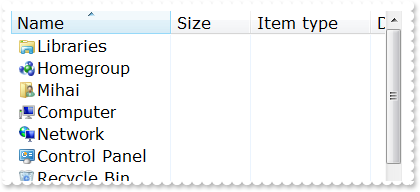
Procedure OnCreate
	Forward Send OnCreate
	Variant f
	Get Comcreateobject "StdFont" to f
		Set ComName to "Verdana"
		Set ComSize to 12
	Set ComFont to f
End_Procedure
|
|
5
|
How can I change the view, so it displays as THUMBNAIL
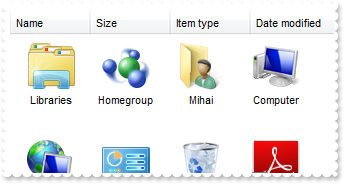
Procedure OnCreate
	Forward Send OnCreate
	Set ComViewMode to OLEThumbnail
End_Procedure
|
|
4
|
How can I change the view, so it displays as a a grid with details
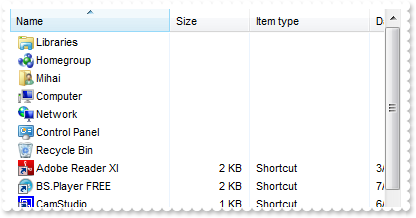
Procedure OnCreate
	Forward Send OnCreate
	Set ComViewMode to OLEDetails
End_Procedure
|
|
3
|
How can I change the view, so it displays as a list
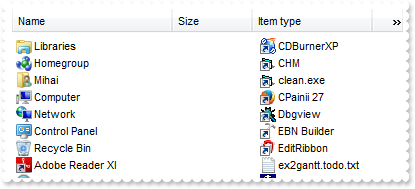
Procedure OnCreate
	Forward Send OnCreate
	Set ComViewMode to OLEList
End_Procedure
|
|
2
|
How can I change the view, so it displays small icons
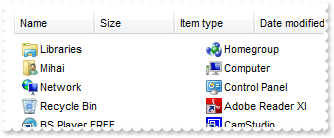
Procedure OnCreate
	Forward Send OnCreate
	Set ComViewMode to OLESmallIcon
End_Procedure
|
|
1
|
How can I change the view, so it displays large icons
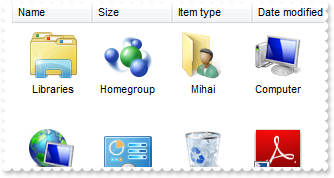
Procedure OnCreate
	Forward Send OnCreate
	Set ComViewMode to OLELargeIcons
End_Procedure
|